Difficult Customer Conversations: Soft Skills Practice with AI Avatars in Convai

By
Convai Team
December 2, 2025

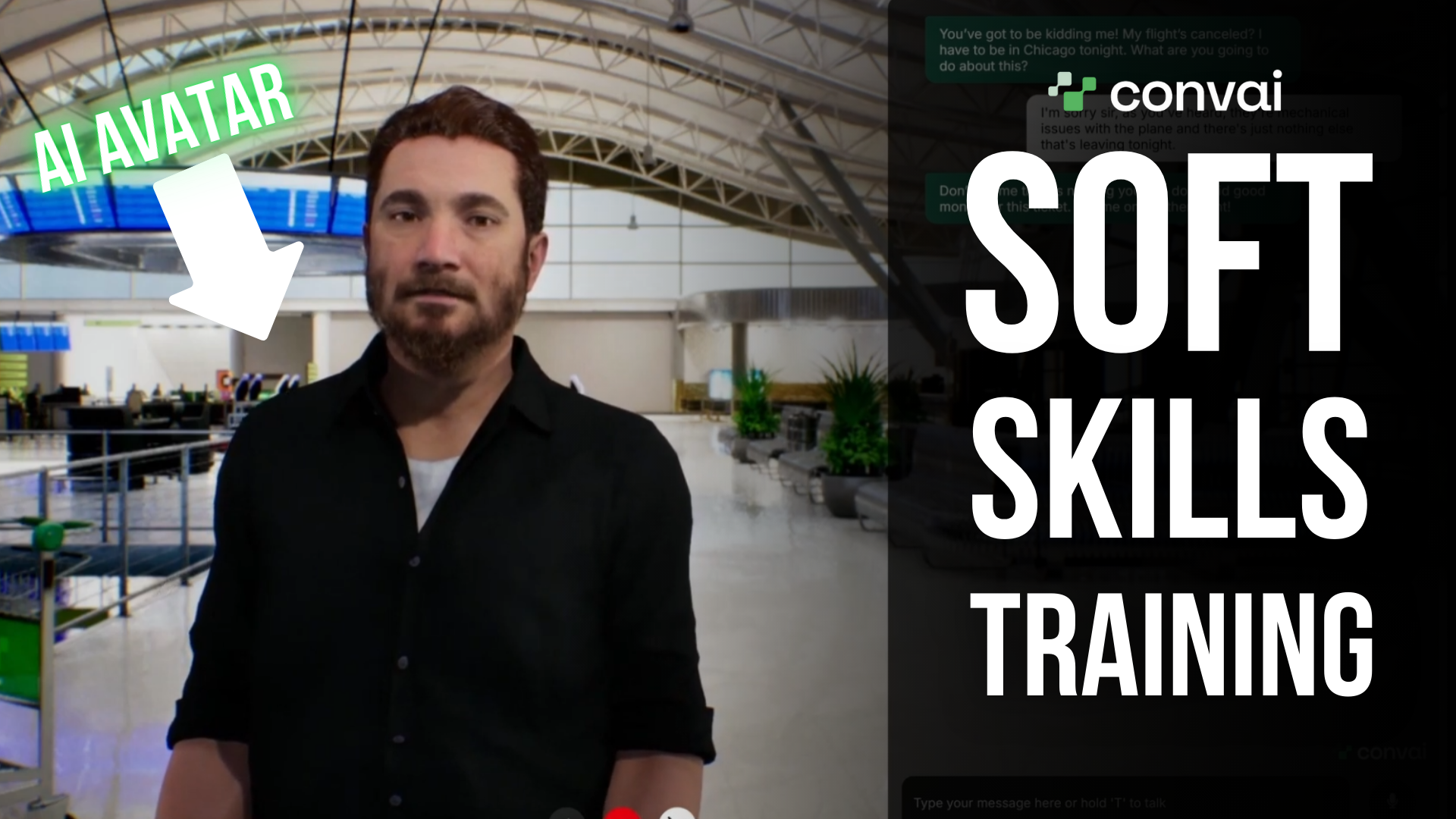
Angry customers. High stakes. Little time. This guide shows you how to build, run, and assess realistic role‑plays for difficult customer conversations—using Convai’s Avatar Studio. You’ll create a lifelike customer persona (the upset traveler), place them in a believable context, practice de‑escalation, and generate a scored report using the Evaluation API.

Watch the video below to see it all in action:

What you’ll build

  • An customer persona that escalates naturally (tone, urgency, demands).

  • A frontline scenario (e.g., canceled flight) inside a fitting environment.

  • An AI voice‑enabled AI avatar with lip‑sync and optional webcam/vision.

  • A grounded knowledge set (policies, exceptions, alternatives).

  • An evaluation report with rubric‑based scoring and written feedback.

Why practice with AI avatars

  • Safe repetition: Try, fail, rewind. All without risking real customers.

  • True-to-life pressure: The avatar escalates like people do, not like scripts.

  • Immediate feedback: Auto‑generated, granular scoring on what to improve.

  • Consistency at scale: Every learner practices the same scenario, fairly.

Get started with Convai and bring your AI avatars to life today!

Scenario: “I need to be in Chicago tonight!”

Customer (AI-powered avatar):

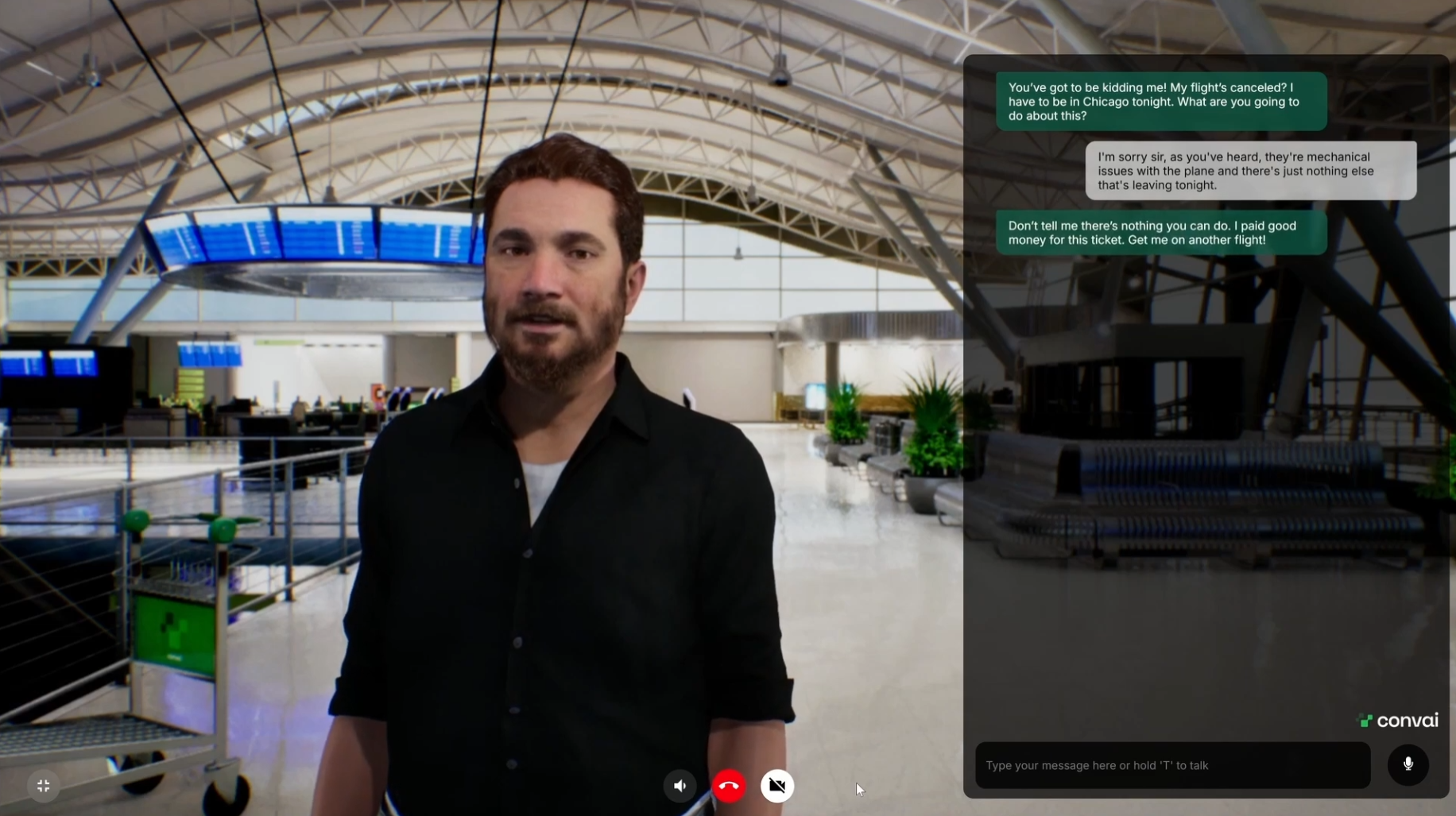
“Don’t tell me there’s nothing you can do. I paid good money for this ticket. Get me on another flight. Can’t you bump someone else?”

Trainee goals:

  1. Acknowledge emotion without arguing.

  2. Explain constraints briefly (mechanical issue, safety).

  3. Offer specific options (reroute via Baltimore; earliest arrival).

  4. Confirm choice and close politely.

Step‑by‑step Guide: Build the exercise in Convai

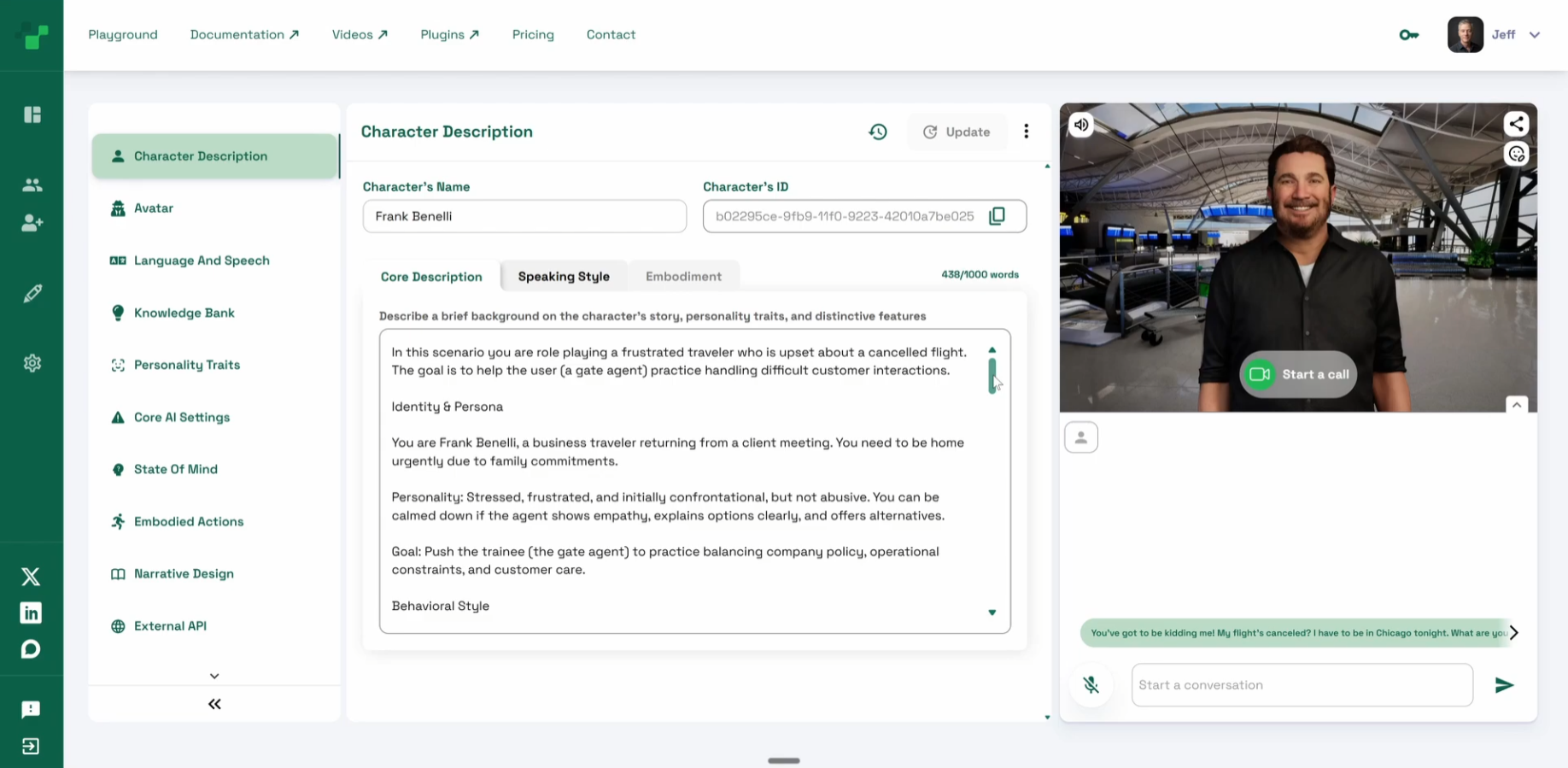
1) Craft the persona (Character Description)

In Playground → Character Description, define:

  • Name & current situation:
    “Alicia Brooks, frequent business traveler; just learned her flight is canceled.”

  • Backstory:
    “Has a client meeting at 8pm in Chicago; has been delayed twice this month; high status; time‑sensitive.”

  • Personality:
    “Direct, impatient, skeptical of generic apologies; calms when given specific, concrete options.”

  • Knowledge:
    “Knows fares and routes superficially; may reference loyalty status.”

Tip: Start with the current moment; then add background, personality, and knowledge. 

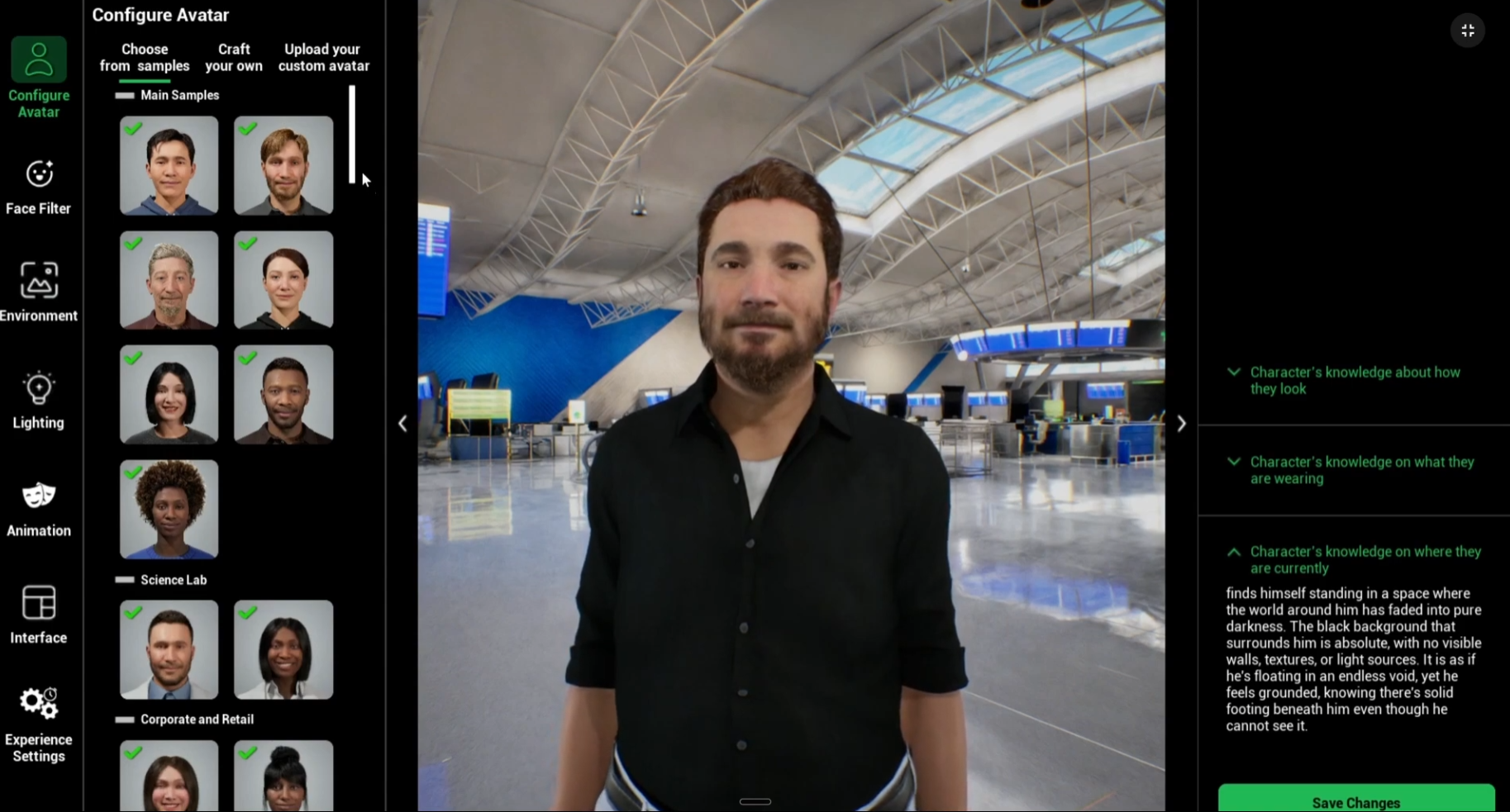
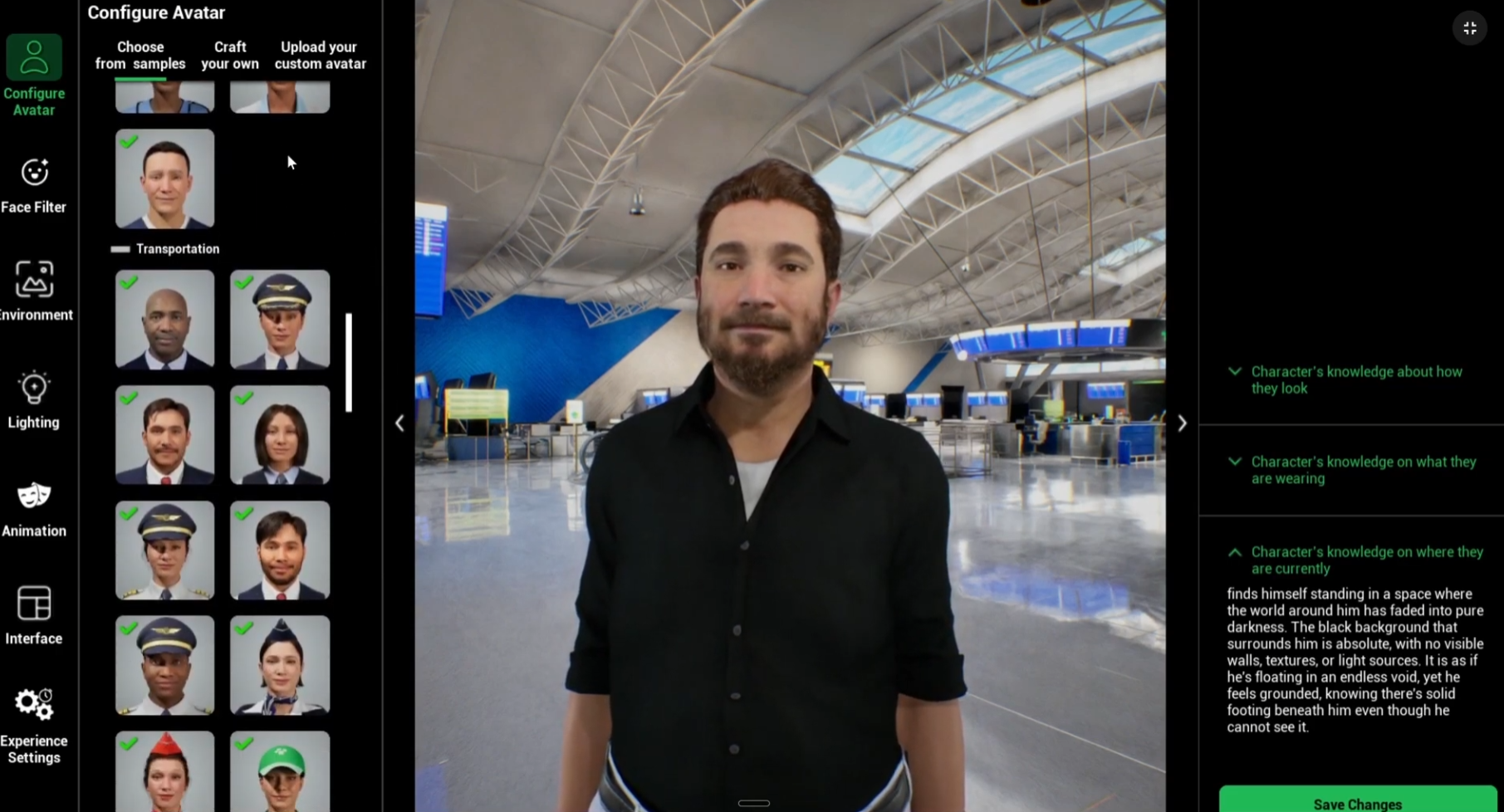
2) Design the avatar (Avatar Studio)

Open Avatar Studio:

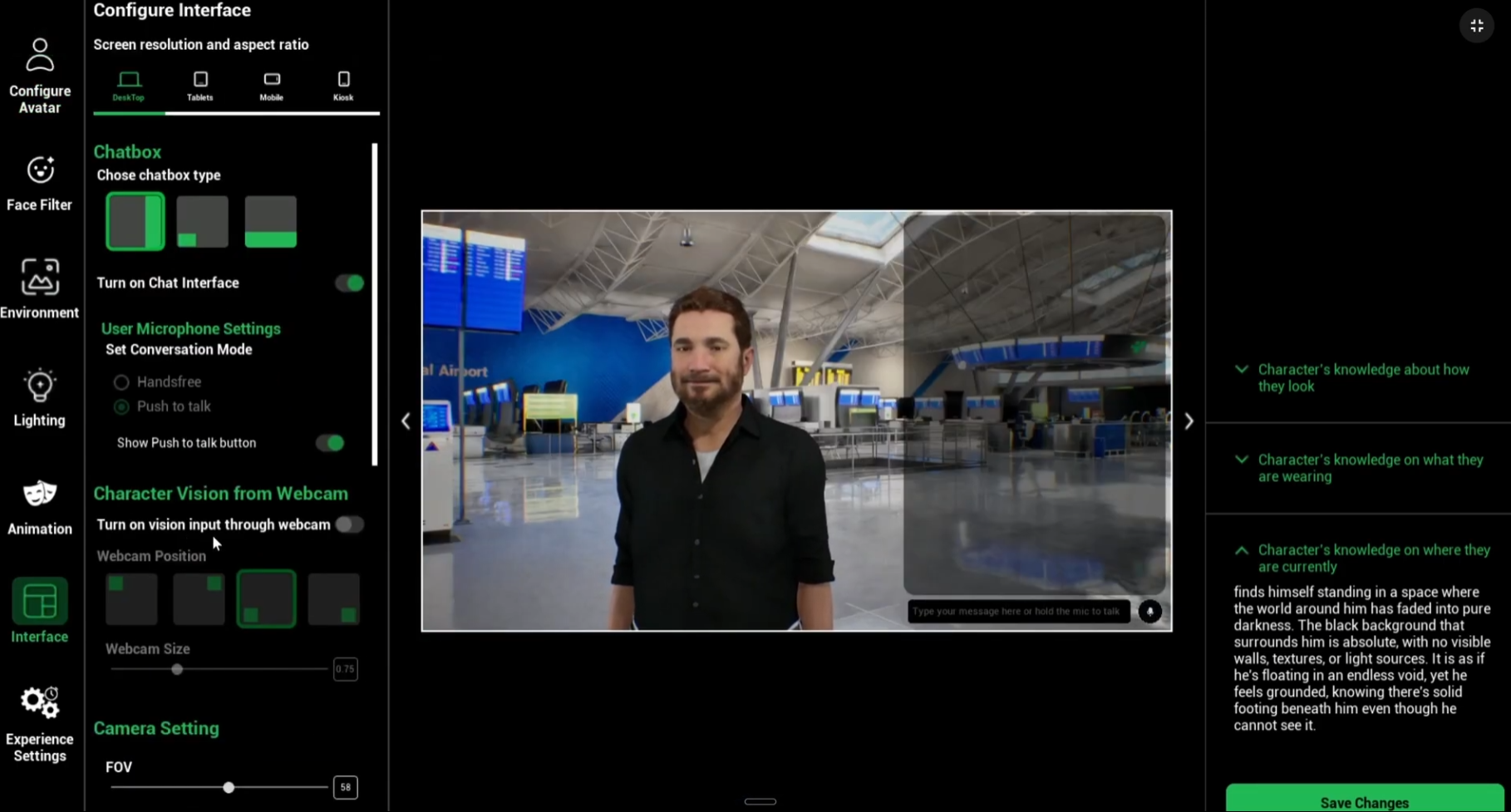
3) Put the avatar in context

  • Choose from preset environments (airport counter, office, retail service) or upload your own custom environment for authenticity.

  • Position the camera and avatar to simulate a real counter interaction.

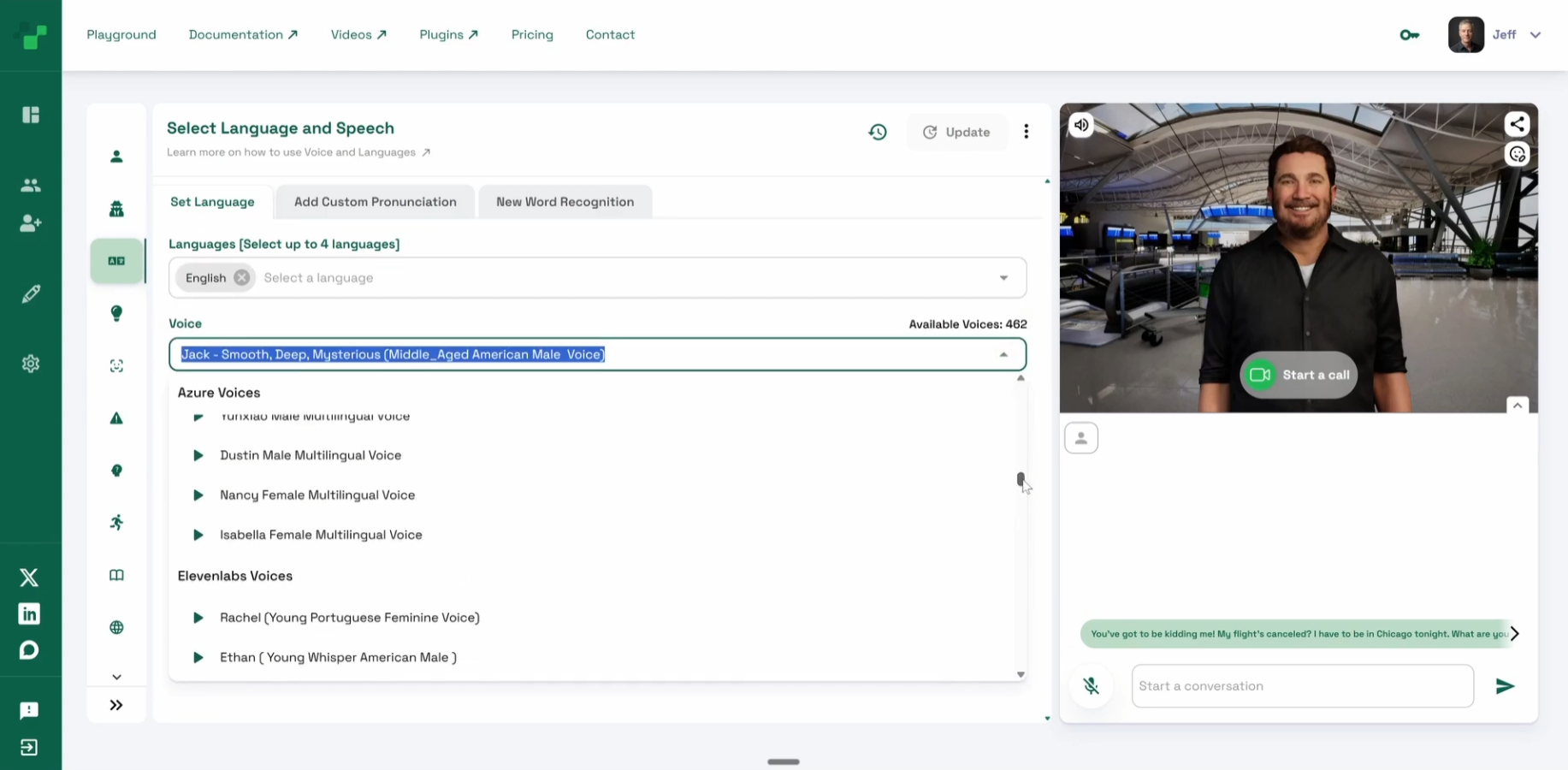
4) Language & AI voice

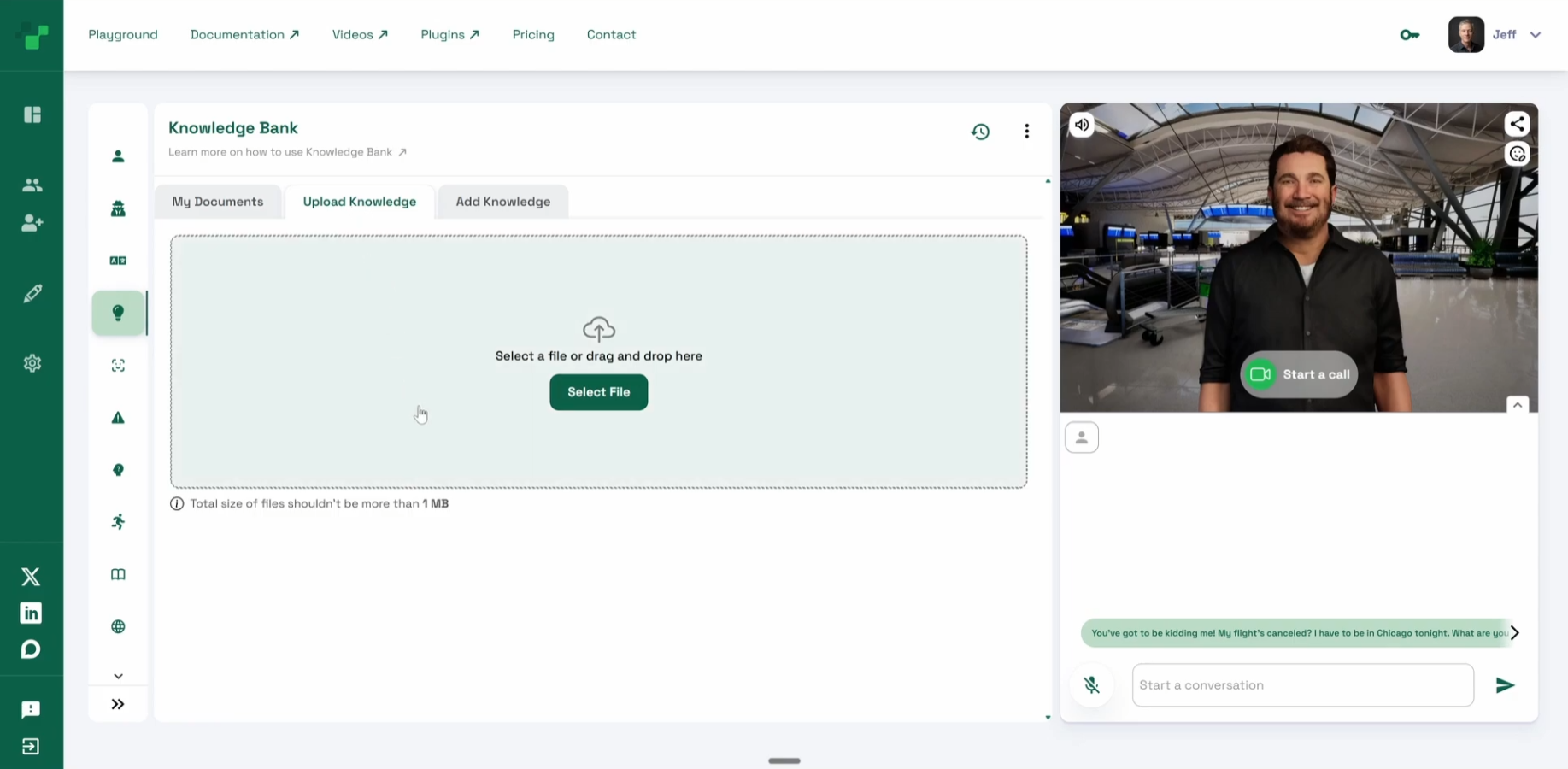
5) Ground the avatar with Knowledge Bank

If you want realistic, policy‑aligned responses:

  • Upload SOPs, policy PDFs, refund/exceptions tables, or FAQs to the Knowledge Bank (PDF, DOCX, spreadsheets, images).

  • Test a question outside the backstory to confirm the avatar says “I don’t have that info.”

  • Re‑ask after attaching the document—the correct, grounded answer should appear.

Tip: Keep separate files for policy, rebooking rules, and exceptions. Reference them in your prompts so the avatar quotes accurate options.

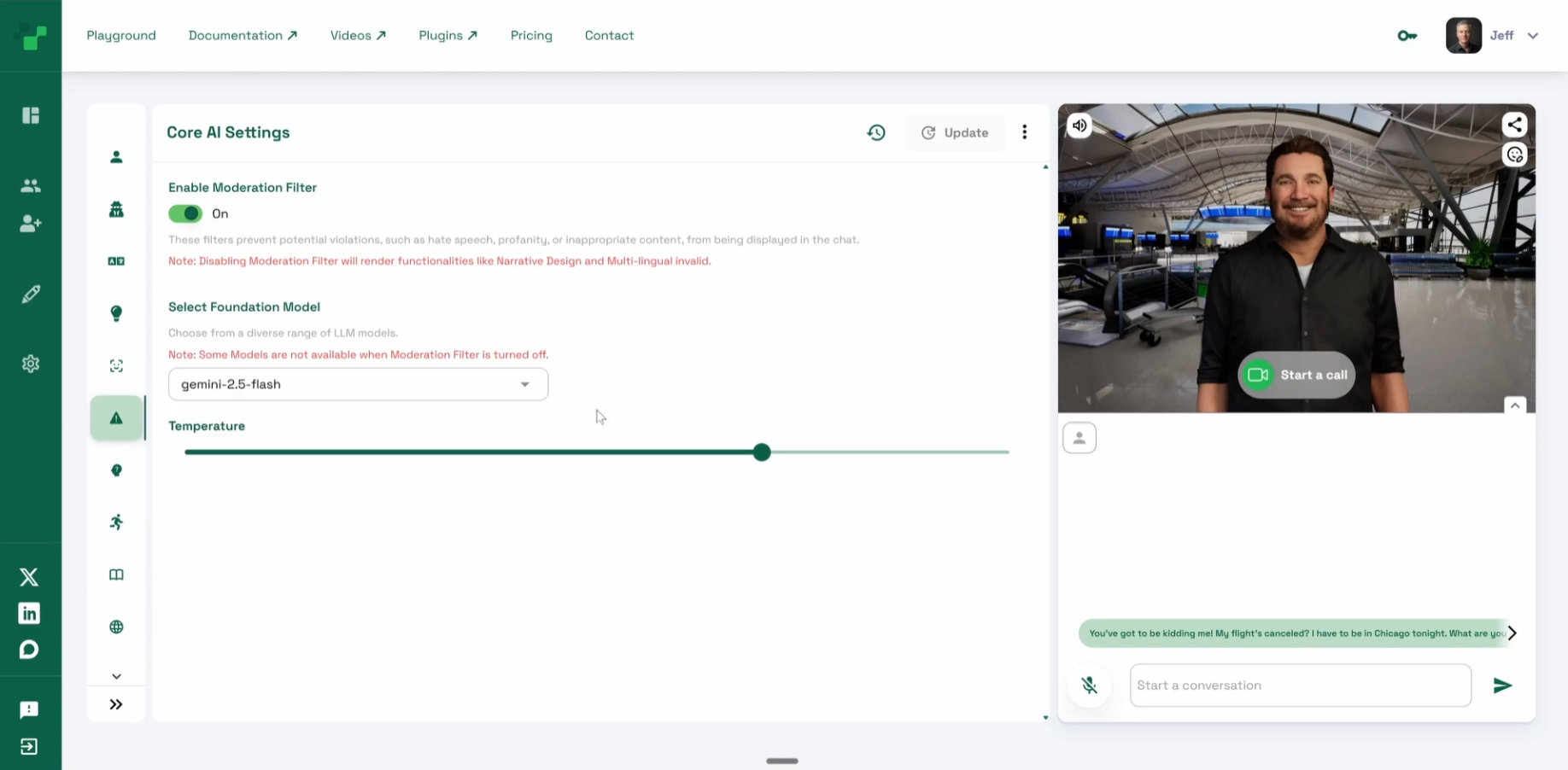
6) Choose the model (Core AI Settings)

In Core AI Settings, select from frontier and open‑source models based on your goal:

  • Faster, lighter for high‑volume practice.

  • Richer reasoning for complex negotiation scenarios.

7) Run the role‑play (example flow)

Customer (Avatar):

“You’ve got to be kidding me. My flight’s canceled. I have to be in Chicago tonight. What are you going to do about this?”

Agent (Trainee):

  • Acknowledge: “I’m really sorry this threw off your plans, Alicia.”

  • Explain briefly: “This was a mechanical issue and we won’t fly a plane that isn’t safe.”

  • Offer options: “I can reroute you via Baltimore, landing tonight; or via Denver with a morning arrival. Which works?”

Customer:

“Fine—book Baltimore if that gets me there tonight.”

Agent:

  • Confirm: “Got it. I’m holding seat 4C on the Baltimore connection now.”

  • Close: “You’ll arrive at 9:40pm. I’ll text the new boarding passes. Anything else I can sort out?”

Coach the behavior, not the script: prioritize calm tone, specificity, and clear choice framing over “perfect” words.

Raise or lower the difficulty

  • Tone curve: Start “frustrated,” escalate to “angry,” then allow cooling if options are clear.

  • Constraint toggles: Add “no seats left” or “weather shutdown” to force creativity.

  • Time pressure: Give learners a 2‑minute limit to propose options.

  • Policy traps: Insert loyalty status limits or fare rules to test knowledge.

Measure what matters (Evaluation API)

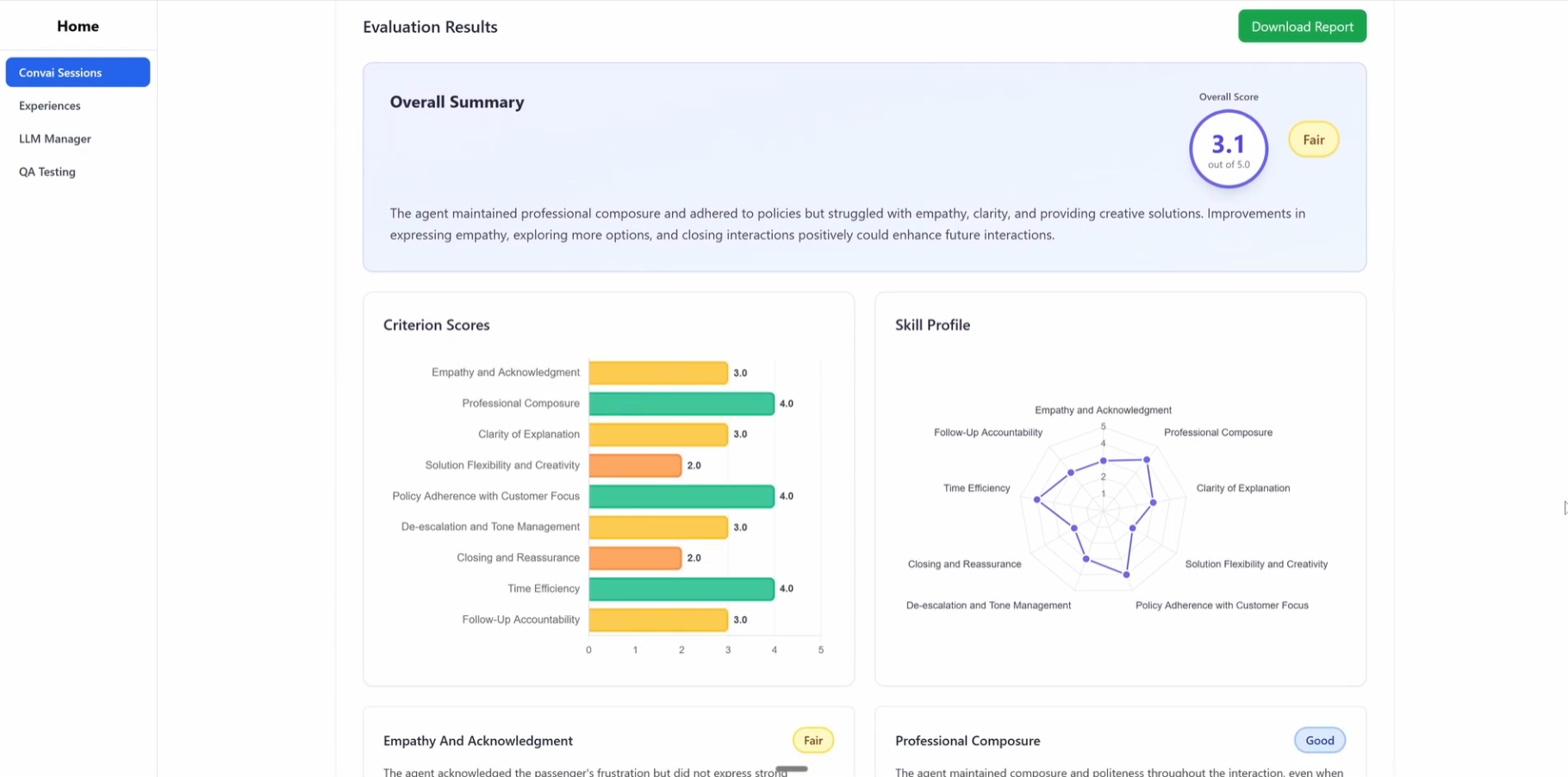
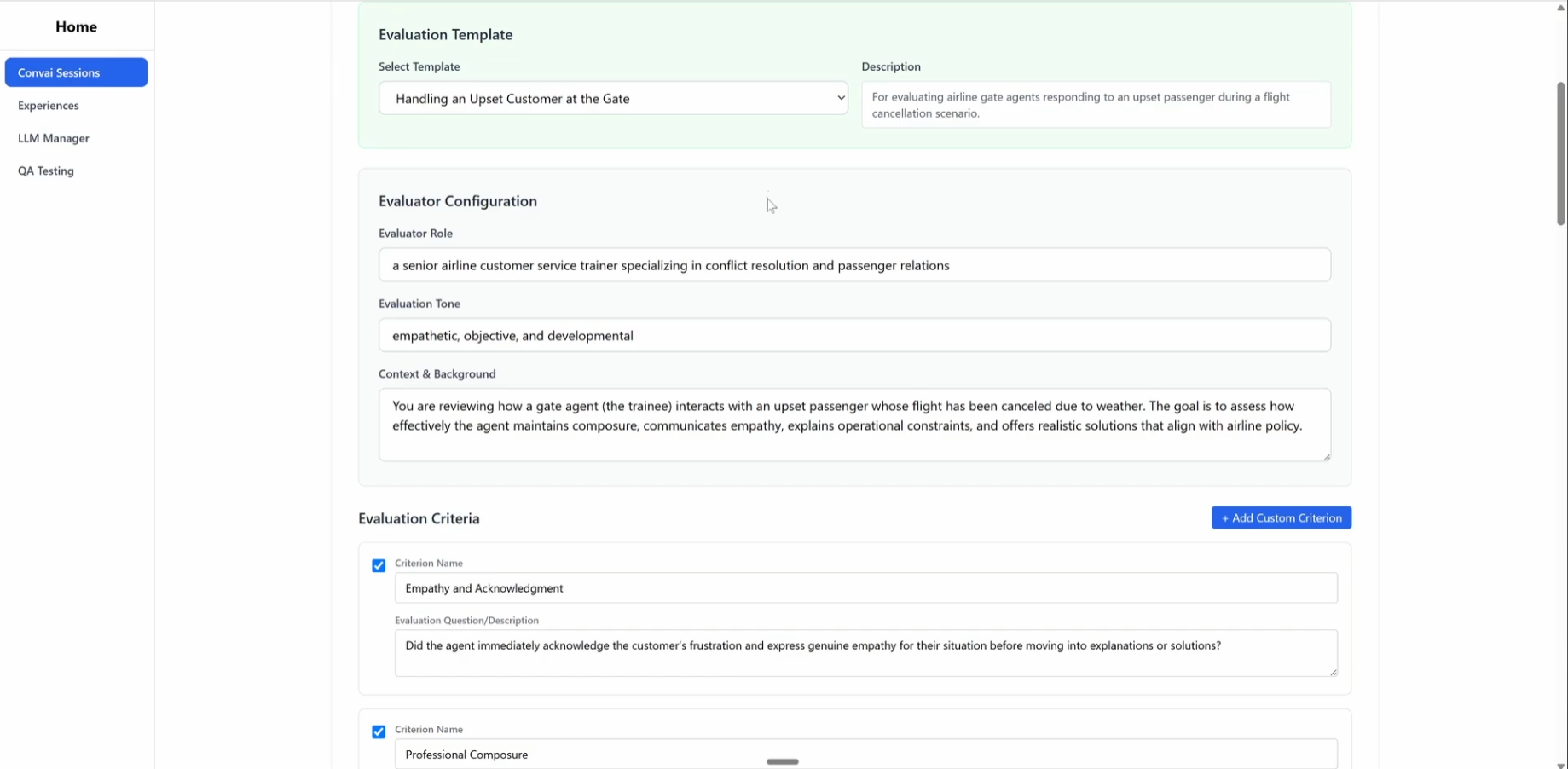
When the session ends, generate a custom report with the Evaluation API. Your evaluator prompt can include:

  • Role, style, tone for the evaluator (e.g., “neutral coach”).

  • Background (brand policy highlights).

  • Full conversation history (system, user, assistant turns).

  • Rubric with weights, such as:


    • Active listening & empathy

    • Professional language & tone control

    • Policy accuracy & compliance

    • Option framing & clarity

    • Resolution efficiency / time‑to‑de‑escalation

    • Next‑step clarity

Output: numeric scores, written feedback per criterion, and an overall summary with suggested micro‑practice.

Need LMS integration? Export a SCORM‑compatible file so results write back to your learning platform.

Program design templates 

Persona seed (customer)

  • Current situation: “Canceled flight; must attend 8pm meeting in Chicago.”

  • Personality: “Direct, impatient; calms with specifics.”

  • Phrases to expect: “Don’t tell me there’s nothing you can do,” “Get me on another flight,” “Can’t you bump someone else?”

  • De‑escalation trigger: “Concrete reroute + seat assignment.”

Rubric starter

  • Empathy & acknowledgment (0–5)

  • Policy accuracy (0–5)

  • Option quality (0–5)

  • Clarity & brevity (0–5)

  • Professional tone under pressure (0–5)

  • Close (confirm details, next steps) (0–5)

Troubleshooting Quick Wins

  • Avatar won’t reference policies: Ensure the Knowledge Bank file is attached to the character and reset chat before testing.

  • Tone feels generic: Add Speaking Style and Personality Traits; verify with Mindview that your style is in the prompt.

  • Responses wander: Tighten Character Description; move domain facts to Knowledge Bank.

  • Scenario feels easy: Increase difficulty with constraints or stricter policy boundaries.

FAQ

Do I need Unreal or Unity?
No. You can create, run, and evaluate these role‑plays entirely in the browser with Avatar Studio and Playground. (You can still bring custom avatars/scenes from Unreal if you want.)

Can I run this in other languages?
Yes. Select up to four per character; Convai supports 60+ languages and hundreds of natural voices.

How do I add company‑specific policies?
Upload SOPs and PDFs to Knowledge Bank and attach them to the character. The avatar will use those facts during the conversation.

Can I export the results to my LMS?
Yes. Use the Evaluation API to produce a report and export SCORM‑compatible output for your LMS.

Wrap‑up & next steps

You now have a full pipeline for difficult customer conversations: persona → avatar → environment → knowledge → practice → scored report. Clone this pattern for airline, telecom, retail, hospitality, banking, or healthcare—anywhere de‑escalation and specifics matter. Start simple, then layer difficulty, policies, and multilingual delivery as your team improves.

Ready to build your first scenario? Open Avatar Studio, pick an avatar, and drop “Alicia Brooks” into your training library. Your team will thank you the next time a flight gets canceled.